
Make and n8n in direct comparison: functions, costs and target groups

Make and n8n in direct comparison: functions, costs and target groups
When choosing a modern workflow automation tool, two platforms dominate the discussion: Make and n8n.
Both tools are powerful alternatives to legacy automation services like Zapier, offering multi-step branching, visual drag-and-drop workflow builders, and complex data routing. However, their execution models, pricing structures, and privacy controls differ substantially.
Why process automation is important for companies
The benefits of process automation are obvious: team members can concentrate on value-adding activities, human error rates fall drastically, and operational workflows become faster and more transparent. Especially in the B2B sector, where complex customer relationships and long sales cycles are the norm, a well-thought-out workflow automation strategy provides a decisive competitive advantage.
A simple example: instead of an employee manually copying 50 leads from various forms into the CRM every day, an automated workflow executes this task instantly, error-free, and in seconds.
Overview: Make and n8n
What is Make?
Make (previously Integromat) is a cloud-based workflow automation platform that stands out as a leading visual no-code builder. The user interface is intuitive: you drag visual modules onto an interactive canvas, connect them, and define your routing logic.
A major advantage of Make is its expansive library of over 2,800 pre-built integrations. Common business applications like Google Workspace, HubSpot, Slack, Shopify, and Salesforce can be connected directly via native modules without having to manually configure HTTP webhook endpoints.
Make is primarily designed for teams without deep software engineering knowledge. The platform handles all hosting, infrastructure scaling, uptime, and security maintenance. You simply create an account and begin assembling scenarios.
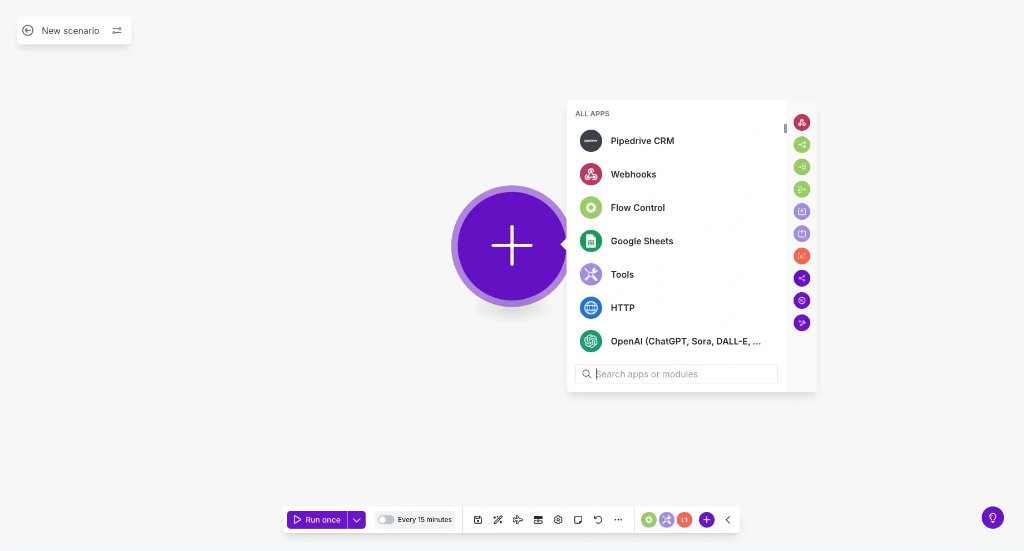 Make visual interface
What is n8n?
n8n takes a fundamentally different architectural approach. The platform is distributed under a "fair-code" (source-available) license and is built to be self-hosted. This means you can deploy n8n directly on your own private server or a virtual private server (VPS), retaining complete data sovereignty.
What sets n8n apart is its developer-first flexibility. While it also features a visual, node-based canvas, it allows you to write custom JavaScript or Python directly inside any step of a workflow. With over 1,000 native integrations, the pre-built directory is smaller than Make's, but its extensible HTTP Request node and open community node ecosystem allow you to connect virtually any REST API.
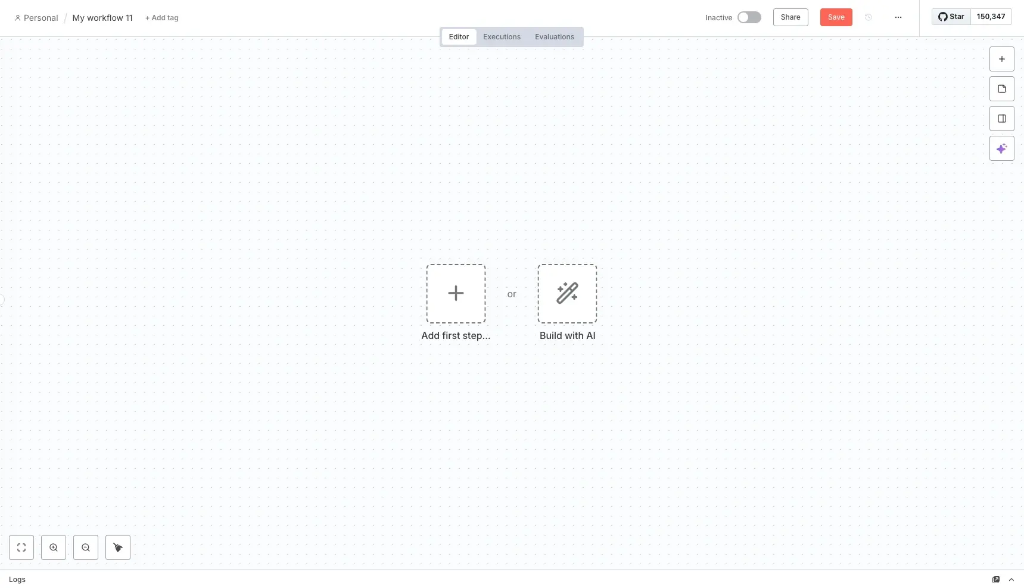 n8n node interface
Features in comparison
Integration options
When comparing native integrations out of the box, Make leads with 2,800+ apps compared to n8n's 1,000+. However, sheer volume is less important than whether your specific software stack is supported.
n8n compensates for this gap with total customizability: its HTTP Request node handles authentication headers and complex payloads seamlessly, and developers can create, share, and import custom community nodes.
User interface and usability
Ease of use is where Make excels. Its circular visual canvas is clean, intuitive, and quick to learn. Non-technical users can comfortably build multi-branch scenarios within hours, using simple drag-and-drop connections.
n8n has a steeper learning curve but offers more depth. In particular, debugging in n8n is fantastic: I see the exact JSON data passing through for each node. This makes troubleshooting child's play. With Make I often have to work with trial and error because the data view is less transparent. The n8n interface is a dream for developers, but it can seem overwhelming at first for absolute beginners.
Code integration and customization options
A lot has happened here at Make. Since October 2025, Make has been offering the so-called "Make Code App", a native JavaScript and Python module available on all paid plans. This was a game-changer for Make and closes an important gap that the tool had for a long time.
At n8n, code is an integral part from day one. I can write JavaScript or Python, transform data, and perform complex calculations in any node. The integration is seamless, I see the data from the previous node directly in the code editor and can process it immediately.
The crucial difference: At n8n, code can be used unlimitedly on all plans. In Make, the Code App consumes an operation every time it executes. If your code module runs inside an iterator processing 100 items, you consume 100 billable operations. At n8n, this counts as part of a single workflow execution—a difference that has major financial implications for data-heavy tasks.
Data Security and Privacy Control
With Make, workflows run entirely on managed cloud servers (AWS US or EU). While this satisfies standard security standards, companies handling sensitive patient, legal, or financial data often require tighter control.
n8n offers both a hosted cloud service (hosted on Azure in Frankfurt, Germany) and self-hosting. With self-hosting on your own private server or VPS, data never touches a third-party server, making it a preferred choice for strict GDPR, HIPAA, and corporate data security policies.
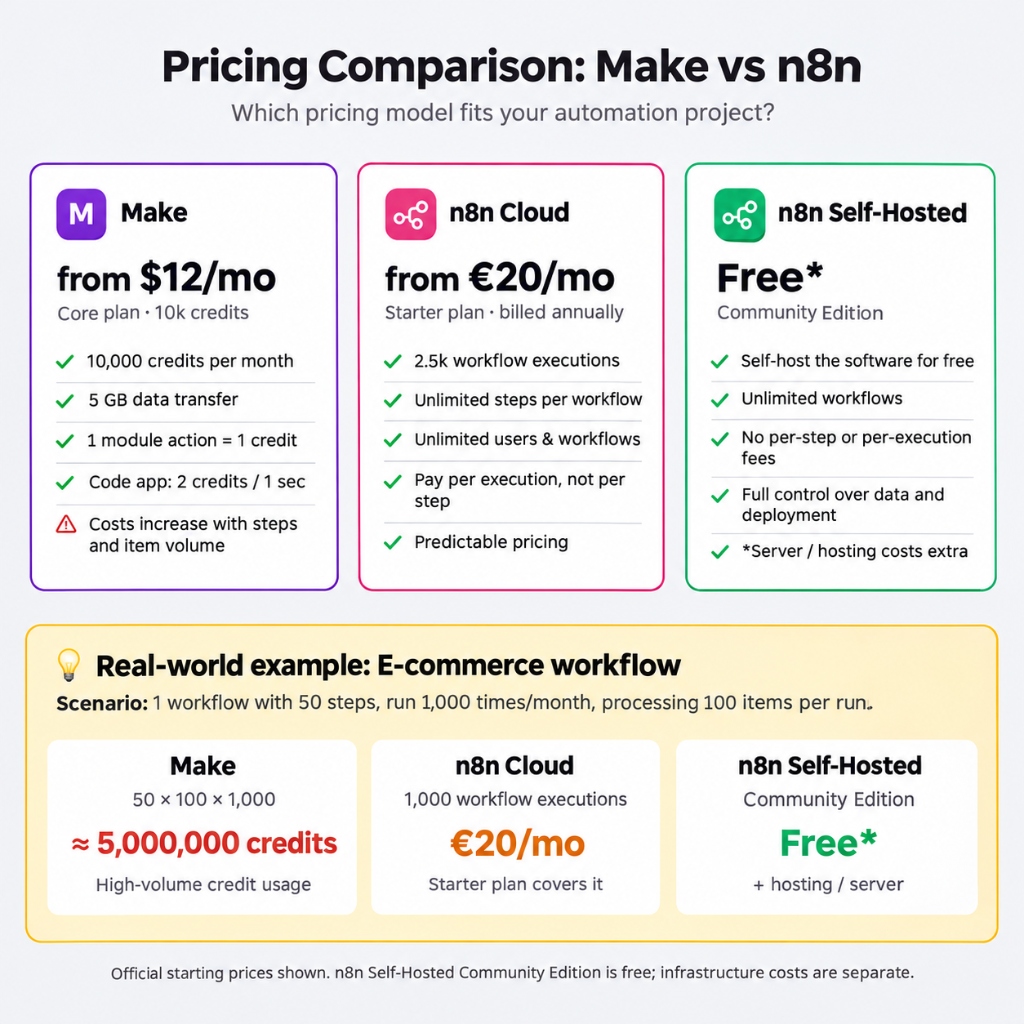 Pricing Comparison: Make vs n8n
What are the pros and cons of Make vs n8n?
Benefits of Make
- Easy to get started: Intuitive visual canvas with structured certification courses via the Make Academy.
- Fully managed service: No server maintenance, DevOps overhead, or manual updates required.
- Massive integration library: 2,800+ ready-to-use application modules.
- Seamless OAuth authentication: Connect popular SaaS tools with one click.
- Code module availability: Native JavaScript and Python support via the Make Code App.
Disadvantages of Make
- Operation-based billing: Every single module action costs an operation. A workflow running 100 records through 5 steps consumes 500 operations, causing monthly costs to scale quickly from $29 to over $200.
- Code executions consume quotas: The Code App consumes operations per iteration and enforces execution timeouts.
- Vendor lock-in: Workflows cannot be exported to run independently on private infrastructure.
- Data transfer limits: Lower plans enforce data bandwidth caps alongside operation limits.
Advantages of n8n
- Execution-based pricing: Billed per workflow execution on cloud plans, rather than per individual step.
- Cost-effective self-hosting: Deploy on a $6 to $15 per month VPS with unlimited workflow runs and steps.
- Unrestricted code execution: Native JavaScript and Python nodes included with no extra per-step fee.
- Total data sovereignty: On-premise deployment ensures data never leaves your private network.
- Granular JSON debugging: Full inspection of incoming and outgoing payloads at every step.
Disadvantages of n8n
- DevOps requirement for self-hosting: Requires setting up Docker, reverse proxies, SSL certificates, and backup routines.
- Smaller native library: 1,000+ native integrations compared to Make's 2,800+.
- Technical learning curve: Can feel intimidating for non-technical business users.
| Feature | Make | n8n |
|---|---|---|
| Integrations — Pre-built app connections | 2,800+ | 1,000+ |
| Code Integration — Run JavaScript/Python | ⚡ | ✅ |
| Code at no extra cost — No additional operations | ❌ | ✅ |
| Self Hosting — On our own infrastructure | ❌ | ✅ |
| Pricing model — Billing unit | Per operation | Per execution |
| Learning curve — Entry difficulty | Low | High |
| OAuth integration — One-Click App Connection | ✅ | ⚡ |
| Debugging tools — Transparent data view | ⚡ | ✅ |
| Create your own nodes — Custom integrations | ⚡ | ✅ |
| Certification Courses — Official Academy | ✅ | ❌ |
| Community Support — Forum & active community | ✅ | ✅ |
| Source code available | ❌ | ✅ |
- ✅ Fully Supported / Free
- ⚡ Partial / With restrictions
- ❌ Not available / Costs extra
Target Audiences: Make vs. n8n
Make is suitable for:
- Marketing, sales, and operations teams: Teams who want to build workflows without writing code or managing servers.
- Agencies and freelancers: Building automations for non-technical clients who need easy visual maintenance.
- Extensive SaaS ecosystems: Projects that rely on extensive out-of-the-box SaaS integrations like HubSpot, Shopify, Airtable, and Slack.
n8n is suitable for:
- Developers and IT engineers: Software engineers, IT teams, and technical founders comfortable with Docker and APIs.
- Regulated industries: Organizations with strict data privacy regulations like healthcare, finance, and legal requiring self-hosted infrastructure.
- High-volume automation pipelines: ETL pipelines, database synchronization, and bulk webhook processing where Make's operation costs would be prohibitive.
Decision Guide - how do I find the right tool?
I often use a simple questionnaire with my customers before we start:
- Do you or your team have technical know-how (JavaScript, APIs)?
- Yes → n8n is a good option
- No → Make is probably better
- How complex will your workflows be?
- Simple (3-10 steps, linear logic) → Make
- Complex (loops, branches, data manipulation) → n8n
- How sensitive is your data?
- Very (Healthcare, Finance, Legal) → n8n Self-Hosted
- Normal → Both OK
- What is your automation budget?
- Flexible / Pay based on usage is OK → Make
- Limited / fixed costs preferred → n8n
- How soon do you want to start?
- Instantly, without setup → Make
- I like to take my time with setup → n8n
- How many workflow executions do you expect?
- Few (under 1.000/month) → Make is cost-effective
- Many (over 10.000/month) → n8n is significantly cheaper
- Do you need AI features in your workflows?
- Yes, intensive → n8n (more flexible, cheaper with high usage)
- Occasionally → Both OK
My rule of thumb: If three or more answers point towards n8n, you should at least take a test. The Self-Hosted Community Edition is free and you have several setup options: Either use a VPS with one-click installation (Hostinger Web Hosting, Elestio and others offer this), or you set up a VPS at Contabo or Hetzner and install n8n manually (there are tutorials for 20 minutes of setup).
Alternatives to Make and n8n
- Zapier: The market pioneer with the largest app catalog (7,000+ apps), but the most expensive per-task pricing model. Best for straightforward, linear automations.
- Activepieces: An open-source, no-code automation tool positioned as a lighter, privacy-focused alternative to Zapier and Make.
- Tray.ai and Workato: Enterprise-grade automation platforms designed for large organizations requiring complex governance, enterprise security, and custom SDKs.
Conclusion and outlook
My personal assessment
Both Make and n8n are exceptional workflow automation platforms, but they serve different operational models. Make is the visual leader for business teams who want fast setup, polished interfaces, and immediate access to 2,800+ integrations without managing servers.
n8n is the premier engine for developers and privacy-conscious organizations. Its transparent JSON debugging, unlimited self-hosted execution capacity, and native code handling give you total control over your automation stack.
Outlook: The Future of Automation
The automation landscape is accelerating rapidly with the rise of AI-assisted workflow generation and autonomous agents. Both Make and n8n have integrated native AI capabilities (OpenAI, Anthropic, LangChain), allowing users to summarize text, extract unstructured data, and generate workflow logic using natural language prompts. Whether you choose Make's cloud ecosystem or n8n's self-hosted flexibility, automating routine operations remains the single most impactful lever for modern business productivity.


